| Quick Answer: The ChatGPT 80s photo trend uses AI to reimagine your modern selfie as a genuine-looking 1980s portrait, keeping your face recognisable while changing your clothes, hair, lighting, and background to match the era. You make one by uploading a clear photo to ChatGPT and describing the retro look you want, then post it as a before-and-after reel with a trending or retro sound. It is free and takes only a couple of minutes. |
Your feed is full of them right now. Big teased hair, denim jackets, warm studio lighting, and faces you recognise, all styled like a photo pulled from a 1985 family album. The ChatGPT 80s photo trend has taken over Instagram, and the barrier to joining is a single uploaded selfie and one paragraph of instructions.
This guide gives you the exact prompt to copy, the variations worth trying, the best audio to pair with your reel, and the reasons the trend caught fire in India specifically.
What Is the ChatGPT 80s Photo Trend?
The ChatGPT 80s photo trend is a viral AI format where people turn a current photo into a portrait that looks like it was shot in the 1980s. Unlike a vintage filter, which just tints and grains a modern image, this trend asks the AI to rebuild the whole picture. Your recognisable features stay, but the clothing, hairstyle, accessories, setting, and photographic texture all shift to match the decade.
The results tend to look like old family portraits, Bollywood studio shoots, or vintage magazine covers. Think voluminous hair, colourful period clothing, statement jewellery, high-waisted trousers, soft focus, and the faded colour and grain of analogue film. Because the AI reimagines the scene rather than filtering it, the output can feel less like an edited selfie and more like a photograph that genuinely surfaced from forty years ago.
That distinction is the whole appeal. Seeing your own face convincingly placed in another era is stranger and more fun than watching a filter wash over a photo you took this morning.
How Do You Make Your Own 80s AI Photo? (Step by Step)
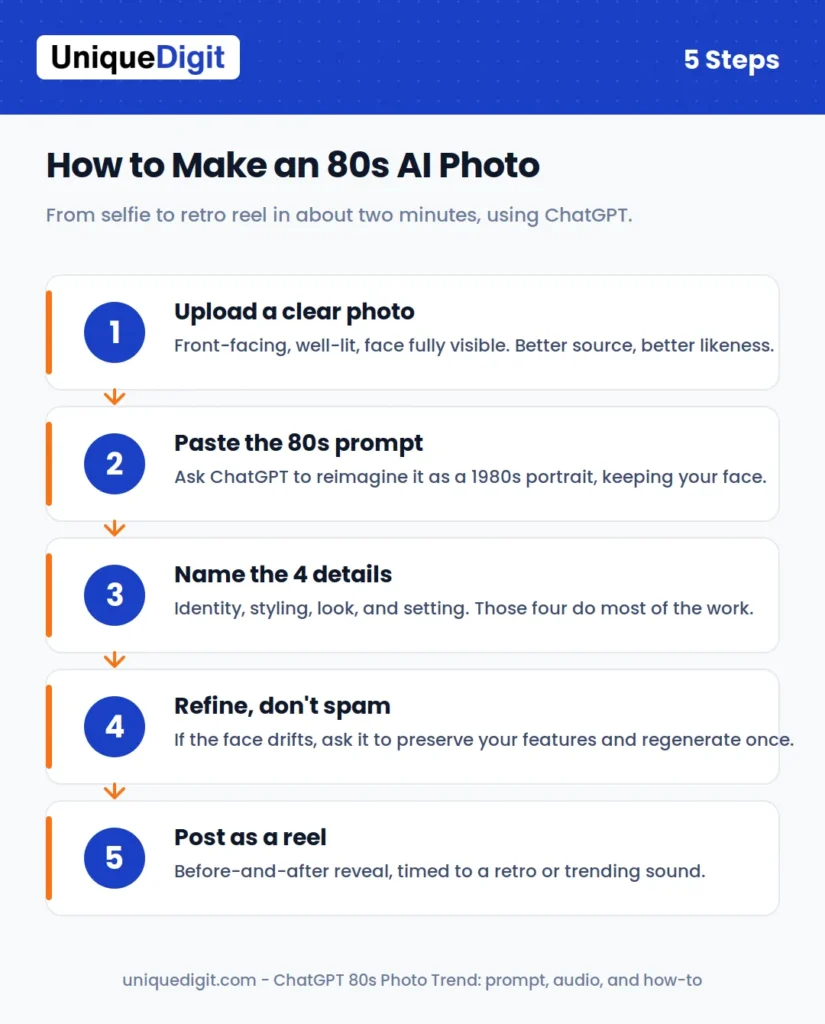
You do not need any design skill or paid software to join in. The whole process takes under a minute.
- Open ChatGPT (the image-generation feature is available in the app and on the web).
- Upload one clear photo where your face is fully visible and well lit. A straight-on portrait works best.
- Paste a prompt describing the 1980s look you want, naming the clothing, hair, background, lighting, and film texture.
- Wait for the image, then refine. If the face drifts too far from yours, tell it to preserve your features more closely and regenerate.
- Download the version you like and post it.
The single most important instruction in your prompt is to keep your recognisable facial features and natural skin tone. Without that line, the AI often returns a good-looking 80s portrait of someone who is not quite you.
What Is the Exact Prompt to Copy?
Here is a prompt you can paste straight into ChatGPT and adjust:
“Reimagine this photo as a realistic portrait taken in India in the 1980s. Keep my recognisable facial features, natural skin tone, and expression. Add period-appropriate voluminous hair, colourful 1980s clothing, statement jewellery, warm studio lighting, subtle analogue film grain, and slightly faded colours. Make it look like a genuine photograph from the 1980s, not a modern photo with a vintage filter.”
Swap in the specifics you want. Change “India” to any setting, or replace the studio backdrop with a street scene, a wedding, or a film-poster style.
How Do You Get a Realistic 1980s Look?
A few small additions separate a convincing result from an obviously synthetic one:
- Name the film stock feel. Words like “analogue grain,” “soft focus,” and “faded colours” push the output away from the clean, over-sharp look that gives AI away.
- Specify the light. “Warm studio lighting” or “soft window light” reads more period-accurate than flat, even lighting.
- Add one era detail. A single anchor like a boombox, a scooter, or a specific backdrop grounds the image in the decade far more than a long list of props.
- Keep the expression natural. Telling the AI to preserve your real expression stops it defaulting to a stiff, posed smile.
What Mistakes Should You Avoid?
Most disappointing results come from the same handful of errors:
- A low-quality source photo. If your face is blurry, side-on, or poorly lit, the AI has less to preserve and the likeness suffers.
- No instruction to keep your face. Skip that line and you get a stranger in great 80s styling.
- Overloading the prompt. Fifteen competing details confuse the model. Pick the five that matter most.
- Generating endlessly. Every regeneration is a fresh image with a fresh cost. Refine deliberately rather than spamming the button.
What Are the Best Prompt Variations to Try? (Bollywood, Wedding, Street, Studio)
Once the basic version works, the format opens up. Each of these is a small edit to the core prompt:
- Bollywood poster. Ask for “a 1980s Bollywood film poster style, dramatic lighting, bold colours, cinematic pose.” This leans into saturated, theatrical results.
- Family wedding. Ask for “a 1980s Indian wedding photograph, traditional clothing, group-portrait studio setting.” Warm and nostalgic, and it reads as a genuine album scan.
- Street photo. Ask for “a candid 1980s street photograph, natural daylight, era-appropriate background.” Less posed, more documentary in feel.
- Studio portrait. Ask for “a formal 1980s photo-studio portrait, painted backdrop, soft key light.” This is the classic mall-studio look the trend is known for.
Trying two or three variations from a single source photo is the fastest way to find a version worth posting, and it teaches you which words actually move the output.
Why Did the 80s Photo Trend Go Viral in India?
The trend spread through the mechanics Instagram is built for. It moved on Stories, on the Add Yours sticker, in Reels, and in feed posts, so every participant effectively recruited the next. When a friend posts their retro portrait with an Add Yours prompt, joining is one tap away. Add a wave of celebrities and public figures posting their own, and the format reaches critical mass quickly.
There is also a cultural fit. The 80s output maps neatly onto the visual language of classic Indian cinema and the family photo albums of the era, so the images land as warmly familiar rather than as a novelty. The nostalgia is doing as much work as the technology, which is a recurring pattern in what India searches for and shares online.
Is India ChatGPT’s Biggest Image Market?
The trend did not arrive in a vacuum. India has become the single largest market for ChatGPT’s image generation. When OpenAI rolled out its upgraded image feature, Indian users generated more than a billion images within roughly a month of launch, and OpenAI’s leadership publicly flagged India as the top market for the tool since that launch.
That scale explains why an India-specific format like 80s Bollywood portraits could go from novelty to feed-wide in days. The audience and the habit were already there. A trend that plays to local nostalgia simply gave that enormous, active user base a reason to generate. If you want to catch the next one early, learning how to use Google Trends for SEO in India is the simplest place to start.
What’s the Difference Between the 80s Trend, Ghibli, and Nano Banana?
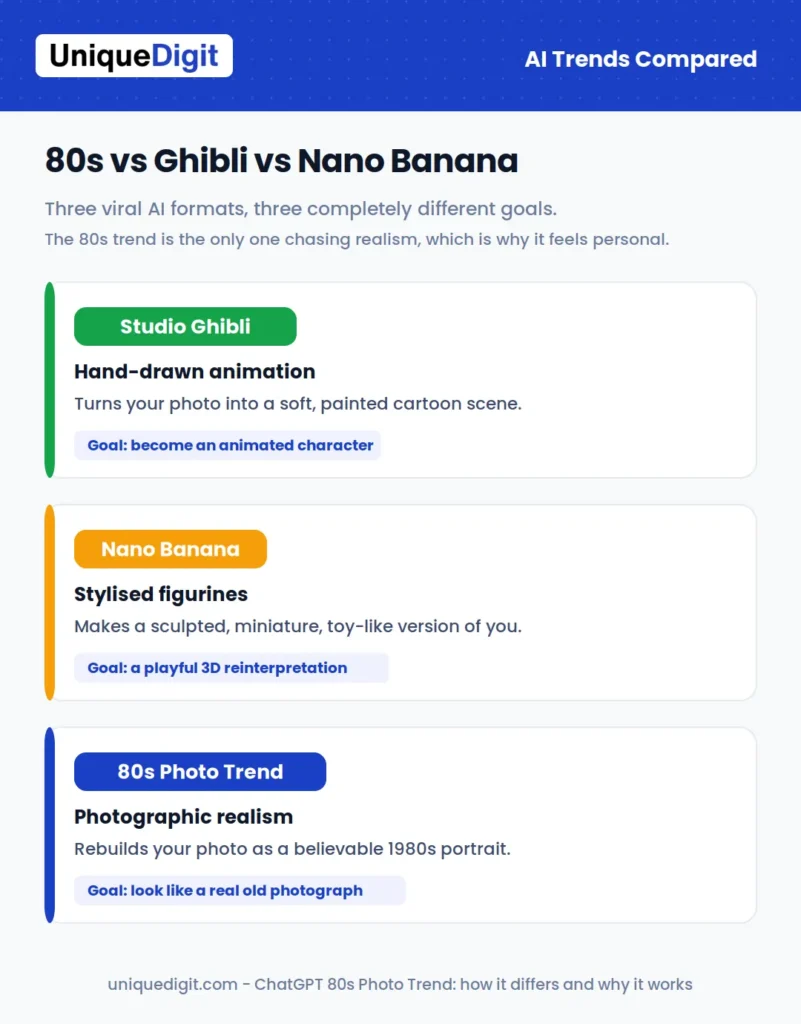
This is the latest in a run of viral AI-image formats, and the differences are worth understanding because they explain the appeal.
- The Studio Ghibli trend turned photos into soft, hand-drawn animation in the style of the famous studio’s films. The goal was transformation into a cartoon world.
- The Nano Banana wave produced stylised AI edits and figurine-like, miniature versions of people and objects. The goal was a playful, sculpted reinterpretation.
- The 80s photo trend does something different. Instead of turning you into an animated character or a toy, it aims for photographic realism in another era. The target is a believable old photograph, not a stylised artwork.
That realism is why the 80s trend feels more personal than its predecessors. A Ghibli version of you is clearly art. An 80s version of you looks like it could be real, which makes the illusion more striking and more shareable.
What Are the Best Songs and Audio for Your 80s Photo Reel?
A retro portrait lands harder with the right soundtrack behind it. Because the trend lives on Instagram Reels and Stories, the audio you choose does a lot of the emotional work, and picking a track that already carries nostalgia amplifies the effect instantly.
For an authentic 1980s feel, lean on era-defining sounds:
- Synth-pop and retro hits. Bright, synth-heavy tracks match the visual grain and neon styling perfectly and read as instantly “80s” to viewers.
- Classic Bollywood 80s numbers. For Indian audiences, a recognisable retro film song ties the portrait to the cinema and family-album feel that made the trend resonate here in the first place.
- Slowed or reverb edits. The slowed-and-reverb versions of period songs that trend on Reels give the throwback a dreamy, memory-like quality that suits the faded-photo aesthetic.
Which Trending Audio Should You Try?
These are the tracks people are pairing with 80s reels right now. Availability and popularity shift weekly, so treat this as a starting list and always check what is trending in the app on the day you post.
For an international synth-pop feel:
- “Take On Me” by a-ha. The definitive synth-pop anthem of the decade and an instant era signal.
- “Girls Just Want to Have Fun” by Cyndi Lauper. Upbeat and bright, ideal for a punchy reveal edit.
- “Blue Monday” by New Order. Moody electronic synth that suits a slower, cinematic transition.
For an Indian retro and Bollywood vibe:
- “Aap Ki Aankhon Mein Kuch” by Kishore Kumar and Lata Mangeshkar. Classy and romantic, perfect for a soft, elegant reveal.
- “Neele Neele Ambar Par” by Kishore Kumar. Dreamy and nostalgic, made for a slow fade into the 80s portrait.
- “Humein Tumse Pyaar Kitna” by Kishore Kumar. Emotional and soft, ideal for a heartfelt edit.
- “Kya Yahi Pyaar Hai” by Kishore Kumar and Lata Mangeshkar. A perfect retro-romance backdrop.
- “Ek Ladki Ko Dekha” by Kumar Sanu. A nostalgic Bollywood mood that reads instantly retro.
- “Jab Koi Baat Bigad Jaye” by Kumar Sanu and Sadhana Sargam. Very Instagram-friendly and widely used on Reels.
- “Gulabi Aankhen” by Mohammed Rafi. Fun and charming, a lighter retro option.
- “Humein Aur Jeene Ki” by Kishore Kumar. Old-school and cinematic for a dramatic reveal.
- “I Am A Disco Dancer” by Vijay Benedict. Best if your photo has a bold, funky 80s look.
- “Jimmy Jimmy Aaja” by Parvati Khan. Energetic and colourful, matching the loud side of the 80s aesthetic.
And whatever is spiking right now:
- The current top trending audio in your region. Whatever sound has the upward arrow in Reels that week will almost always out-reach a perfect-but-static choice.
A few practical tips for choosing audio that actually helps the reel travel:
- Use a trending audio, not just any song. Instagram surfaces reels using sounds that are currently spiking, so tapping a track with an upward arrow next to it gives your post a discovery boost the styling alone cannot.
- Match the mood to the edit. A punchy synth track suits a quick before-and-after reveal, while a softer, slowed song fits a slow fade from your modern photo into the 80s version.
- Keep it short and let the beat land on the reveal. Time the switch from your real photo to the AI portrait to hit on a recognisable beat drop, which is the single easiest way to make the reel satisfying to watch.
- Check you can use the sound. Personal accounts have access to Instagram’s full music library, while business accounts sometimes see a limited catalogue, so confirm the track is available before you build the edit around it.
The safest formula is simple: pick a recognisable retro or trending sound, build a clean before-and-after reveal, and let the audio carry the nostalgia the visuals set up. Once the reel is ready, pair it with the right hashtags and a sharp Instagram bio so new visitors who find the post actually stick around.
Is It Safe to Upload Your Photo to ChatGPT?
For most people posting a fun portrait, the practical risk is low, but a few points are worth knowing before you upload. Photos you send to an AI tool are processed on the company’s servers, and how they may be retained or used depends on that provider’s current privacy settings and policy. If you would rather limit that, check whether your account allows you to turn off using your content to improve the models, and avoid uploading images of children or anything sensitive.
The sensible default is simple. Use a photo you would be comfortable sharing publicly anyway, review the tool’s privacy controls once, and treat anything you upload as something that has left your device.
Should You Join the Trend?
Yes, if it looks fun, do it. The format is free, fast, and flattering, and it plays to a genuine wave of nostalgia rather than forcing a gimmick. The only real reasons to skip it are privacy preferences, covered above, or simply not wanting your face in the feed.
If you do join, a little intent goes a long way. Pick your best source photo rather than the first one to hand, choose two or three prompt variations instead of twenty near-identical ones, and pair the result with a sound that earns the reveal. A considered post in this format consistently outperforms a rushed one, and it takes only a few extra minutes.
What Does This Mean for Brands and Marketers?
For anyone doing marketing, the 80s trend is a useful case study in more than nostalgia. It shows how fast a low-friction, culturally specific AI format can travel when it plugs into the sharing mechanics of a platform. The lesson is not to chase every trend, but to notice why this one worked: it was easy to join, it flattered the participant, and it tapped a genuine cultural memory. If you want a partner to run this kind of format for you, that is what our social media marketing services are built for.
There is also a speed lesson worth holding. Trends like this peak within a couple of weeks, so the brands that benefit are the ones set up to spot a format early, adapt it to their voice, and publish while attention is still climbing. If you need reach faster than organic can deliver, pairing a timely post with Google Ads for instant leads is one way to buy that window. Using these tools well means moving with intent and a point of view, not generating disposable output at volume because it is cheap. That same considered approach tends to produce work that stands out rather than blends into the feed.
If your brand is thinking about how AI is reshaping content, search, and the way people discover you, that is exactly the shift our team at Unique Digit helps clients navigate, from AI-aware content marketing to optimising for AI-driven search.
Conclusion
The ChatGPT 80s photo trend is a genuinely fun way to see yourself in another era, and it takes only a couple of minutes to try with the prompt above. Get the source photo right, try a few styling variations, and pair the reveal with a retro or trending sound, and you have a reel that fits the moment. Whether you are posting a nostalgic selfie or planning a brand campaign, the smartest way to use AI is with a clear intent and a point of view, not on autopilot.
That is exactly how we think at Unique Digit, a digital marketing agency that helps brands turn fast-moving trends like this into real reach. From social media marketing and content that ranks to SEO built for both Google and AI-driven search, we help you show up where your audience already is. If you want a partner for your next campaign, get in touch for a free audit.