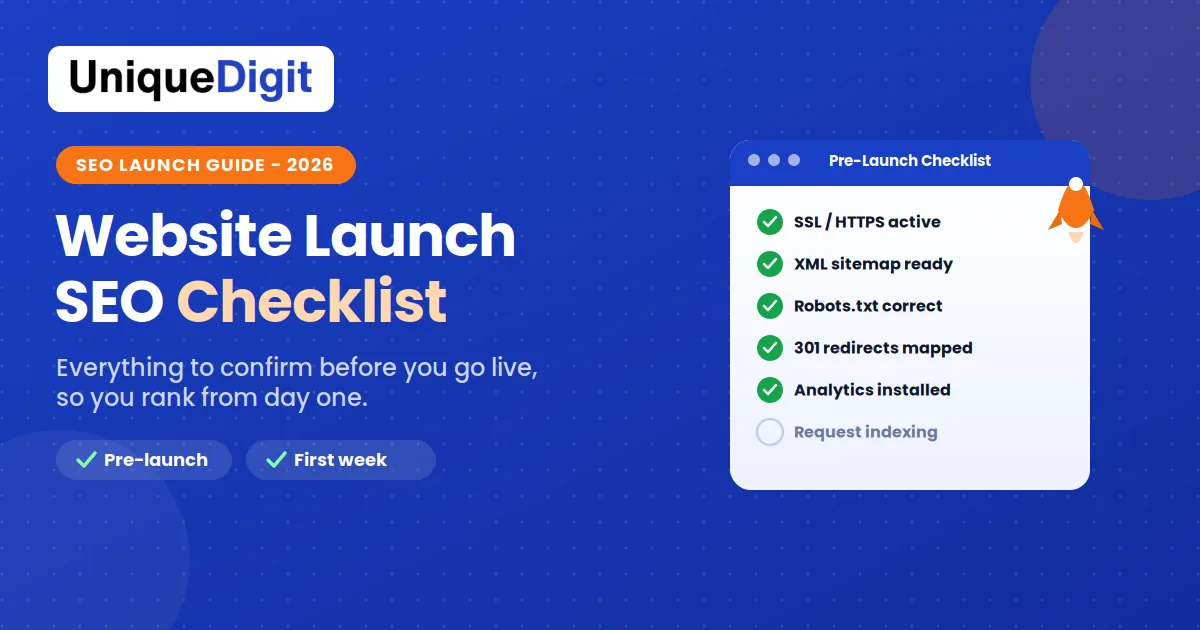
| Quick Answer: Before launching a website, confirm the technical basics (SSL, XML sitemap, correct robots.txt, 301 redirects if migrating, mobile responsiveness, and page speed), the on-page essentials (unique title tags and meta descriptions, a clean heading hierarchy, image alt text, internal links, and schema), and your tracking setup (Google Analytics, Search Console, and conversion tracking). Then monitor indexing closely in the first 48 hours after launch and fix any crawl errors immediately. |
Launching a new website is exciting, but skip the SEO fundamentals before going live and you start from a ranking deficit that can take months to recover from. A structured pre-launch checklist prevents the avoidable, costly mistakes that quietly cap a new site’s visibility. This guide walks through everything worth confirming before you flip the switch, plus the first-week actions that lock in a strong start.
Why Does a Pre-Launch SEO Checklist Matter?
A pre-launch SEO checklist matters because it prevents indexing and ranking setbacks that are far harder to fix after launch than before. When a site goes live with a blocked robots.txt, a missing sitemap, broken redirects, or no tracking, search engines struggle to crawl and understand it, and visibility can be delayed by weeks or months.
The cost of skipping this step is real:
- Lost time. A poorly prepared launch can push meaningful visibility back by an entire quarter.
- Lost rankings. If you are migrating from an old site without proper redirects, you can lose the SEO equity you spent years building.
- Lost data. Without analytics in place from day one, you never recover the historical data those early weeks would have captured.
Getting the fundamentals right on launch day turns it into a strong SEO starting point rather than a missed opportunity.
To make this practical, the checklist below is grouped the way a real launch runs: technical setup first, then on-page essentials, then tracking, then the launch-day countdown, and finally the first-week actions. Work through them in that order and nothing important slips through.
What Should Be on Your Technical Pre-Launch Checklist?
Your technical pre-launch checklist should confirm that search engines can crawl, index, and trust your site from the first moment it goes live. These are the non-negotiable technical items to verify before launch:
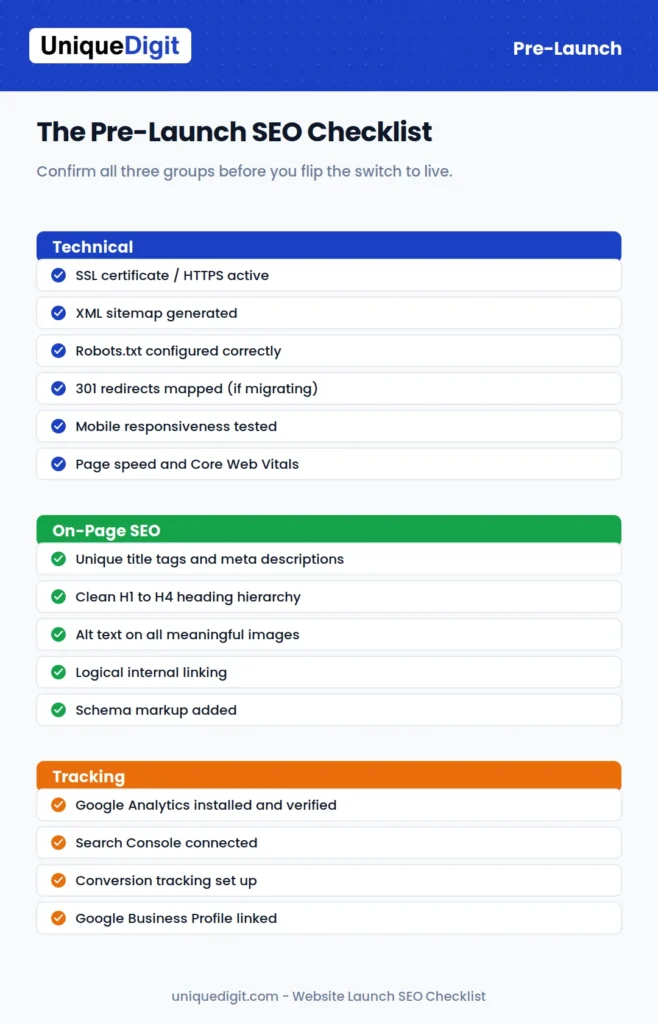
| Item |
Confirm before launch |
| SSL certificate installed |
HTTPS active across every page, with a padlock in the browser |
| XML sitemap generated |
Ready to submit in Google Search Console |
| Robots.txt configured |
Not accidentally blocking the whole site (no stray Disallow: /) |
| 301 redirects mapped |
Every old URL points to its new equivalent, if migrating |
| Mobile responsiveness tested |
Key pages checked on real devices, not just a desktop preview |
| Page speed tested |
Core Web Vitals within an acceptable range |
| Cross-browser tested |
Site displays and works in Chrome, Safari, Firefox, and Edge |
| Images compressed |
Large files reduced so pages load fast |
The two that cause the most damage when missed are the accidental site-wide robots.txt block and a launch that flips staging’s “discourage search engines” setting into production. Both hide your entire site from Google. If either sounds familiar, our guide on why your website is not showing up on Google walks through diagnosing and fixing it.
It is worth understanding what each technical item actually does, because a checkbox you do not understand is a checkbox you can tick wrongly.
- SSL and HTTPS. These encrypt the data passing between your site and its visitors, protecting information like form entries and payment details. Google has treated HTTPS as a ranking signal for years, and modern browsers show a “Not Secure” label on sites without it that scares visitors off. Confirm the padlock appears on every page, not just the homepage, and that each HTTP URL redirects to its HTTPS version.
- The XML sitemap. This is the map you hand search engines listing every page you want indexed. Without one, Google relies purely on links to find your pages, which is slow on a new site. Generate it, confirm it contains only the URLs you actually want indexed (not staging, tag archives, or thank-you pages), and have it ready to submit in Search Console at launch.
- Robots.txt. This tiny file tells crawlers which parts of your site they may access, and a single line, Disallow: /, blocks your entire site. Developers often add that line during the build and forget to remove it. Type your domain followed by /robots.txt into a browser and read it with your own eyes before going live.
- 301 redirects. These matter only when migrating from an existing site, but there they are critical. A 301 passes almost all of a page’s ranking value to its new URL. Skip them and every old link lands on a broken page, and years of authority evaporate. Map every old URL to its closest new equivalent before launch, and test a sample after.
- Mobile responsiveness. Google uses mobile-first indexing, so it primarily evaluates the mobile version of your site. A layout that looks perfect on desktop can be broken on a phone, and that is the version Google judges. Test key pages on real devices, checking that text is legible, buttons are tappable, and nothing spills off screen.
- Page speed and Core Web Vitals. These influence both rankings and conversions, since visitors abandon slow pages. Run your key templates through PageSpeed Insights, aim for a Largest Contentful Paint under 2.5 seconds, and fix the biggest offenders, usually oversized images and heavy third-party scripts.
- Cross-browser testing. Chrome, Safari, Firefox, and Edge each render code slightly differently, and a feature that works in one can break in another. Check your important pages in all the major browsers before launch.
- Image compression. Large, uncompressed images are the single most common cause of a slow site. Compress every image so it loads fast without a visible drop in quality, and your Core Web Vitals improve as a side effect.
What Are the On-Page SEO Essentials Before Launch?
The on-page SEO essentials before launch are unique title tags and meta descriptions, a proper heading hierarchy, image alt text, logical internal linking, and schema markup on every relevant page. These give search engines a clear, consistent signal about what each page is and who it serves. Confirm each of these:
- Unique title tags and meta descriptions on every page. Title tags should begin with the target keyphrase and stay around 55 characters; meta descriptions should be compelling and around 120 characters.
- A clean H1 to H4 heading hierarchy throughout your content, with the target keyphrase in the H1.
- Alt text on every meaningful image, describing the image simply and including a keyphrase where it fits naturally.
- A logical internal linking structure that connects related pages, using descriptive anchor text.
- Schema markup for your business, FAQs, and any relevant page types, so search engines and AI tools understand your site from day one.
Getting these in place from the start is far more efficient than retrofitting them later. For the difference between the content-side and authority-side of this work, see our guide on on-page versus off-page SEO.
The reason on-page work matters so much at launch is that it is the clearest signal you send search engines about what each page is and who it serves. A page with a vague title, no headings, and thin content forces Google to guess, and Google rarely guesses in your favour.
- Title tags. The most important on-page element and the first thing users see in results. Each page needs a unique title that begins with its target keyphrase and stays around 55 characters, since anything longer gets truncated. A page titled “Home” or “Services” wastes your strongest ranking and click signal.
- Meta descriptions. These do not directly affect rankings, but they heavily influence whether someone clicks your result over a competitor’s. Write a unique, compelling description of around 120 characters for every important page, include the keyphrase, and make it read like an invitation.
- Heading hierarchy. This gives readers and search engines a structural map of your content. Each page should have exactly one H1 containing the target keyphrase, followed by a logical flow of H2 and H3 subheadings. Multiple H1s or skipped levels muddy that structure.
- Image alt text. This describes each image for search engines and for visitors on screen readers or slow connections. Write a simple, accurate description for every meaningful image, working in a keyphrase only where it fits naturally. Content images always need it; decorative ones do not.
- Internal linking. This connects your pages into a coherent site rather than a pile of disconnected ones. Link related pages with descriptive anchor text so readers can move between them and link authority flows through your site. A new site with no internal links makes every page an island.
- Schema markup. This structured data spells out exactly what your page contains, whether a business, FAQ, product, or article. It helps search engines and AI tools understand your site from day one and makes you eligible for rich results. Even basic LocalBusiness and FAQ schema gives a small site an edge.
How Do You Audit Each Page Before Launch?
A useful way to pressure-test your on-page work before launch is to open each important page and ask a short set of questions. If any answer is no, that page is not ready:
- Does the title tag start with the keyword and read well to a human?
- Is there exactly one H1, and does it match what the page is about?
- Does the first paragraph answer the page’s main question directly?
- Are there internal links to and from this page?
- Does every content image have alt text?
- Is the right schema in place for this page type?
Run this quick audit on your homepage, your main service or product pages, and your top few blog posts at minimum. Those are the pages that will do the heavy lifting for your rankings, so they deserve the closest attention before you go live.
How Do You Check Your Content Quality Before Launch?
Beyond the technical tags, launch is also the moment to confirm your content genuinely earns the rankings you want. Search engines increasingly reward depth and usefulness over keyword matching alone, so thin pages built only to exist will struggle no matter how well their tags are set.
- Every important page should fully answer its topic, not just mention it. A service page that lists what you do, how it works, what it costs, and why you, will always outrank a page that says only “we offer this service.”
- Proofread everything. Spelling and grammar errors quietly erode trust with both visitors and, indirectly, with search engines that measure engagement.
- Check that media displays correctly. Broken images, misaligned videos, and empty embeds all signal a low-quality page.
- Match content to search intent. Confirm that each page’s format fits what its searchers actually want, whether that is a guide, a comparison, or a product page.
If producing that depth at scale is the bottleneck, our content marketing services can build launch-ready pages that are optimised from the first draft.
How Do You Set Up Tracking and Analytics Before Launch?
Set up tracking before launch by installing Google Analytics, connecting Google Search Console, configuring conversion tracking, and linking your Google Business Profile, so you collect data from the moment the site goes live. Historical data cannot be recovered later, so this has to happen before, not after. Confirm each item:
- Google Analytics installed and verified, ideally through Google Tag Manager, and tested with a live visit.
- Google Search Console connected, with the sitemap ready to submit.
- Conversion tracking configured for your key actions: form fills, calls, and purchases.
- Google Business Profile linked and consistent with your website’s name, address, and phone details.
If local customers matter to your business, a complete profile is one of the highest-return setup steps, and our Google Business Profile guide covers it in full.
The reason tracking has to be in place before launch, not after, is simple: analytics cannot backfill data. Every day the site is live without tracking is a day of visitor behaviour, traffic sources, and conversions you can never recover. If you launch first and add analytics a week later, that week is a permanent blind spot in your reporting.
A few practical points make the difference between tracking that works and tracking that quietly fails:
- Verify with a real visit. After installing Google Analytics, open your own site and confirm the visit shows up in the real-time report. Installation without verification is the most common way analytics silently breaks.
- Use Google Tag Manager where you can. It keeps your tracking codes organised in one place and makes adding future tags far easier than editing site code each time.
- Define conversions that map to revenue. A form fill, a phone-click, a WhatsApp message, or a completed purchase are real outcomes; pageviews and bounce rate are not. Set up tracking for the actions that actually grow the business.
- Exclude your own traffic. Filter out visits from your office and team IPs, so your data reflects real customers rather than your own testing.
- Keep names and details consistent. Your Google Business Profile name, address, and phone should match your website exactly, since inconsistent details confuse both customers and search engines.
What Should You Check on Launch Day?
On launch day, run a final live test, migrate the SSL, confirm no pages are set to noindex, and update the DNS to point to the new site. This is the countdown where small oversights become expensive, so work through it carefully:
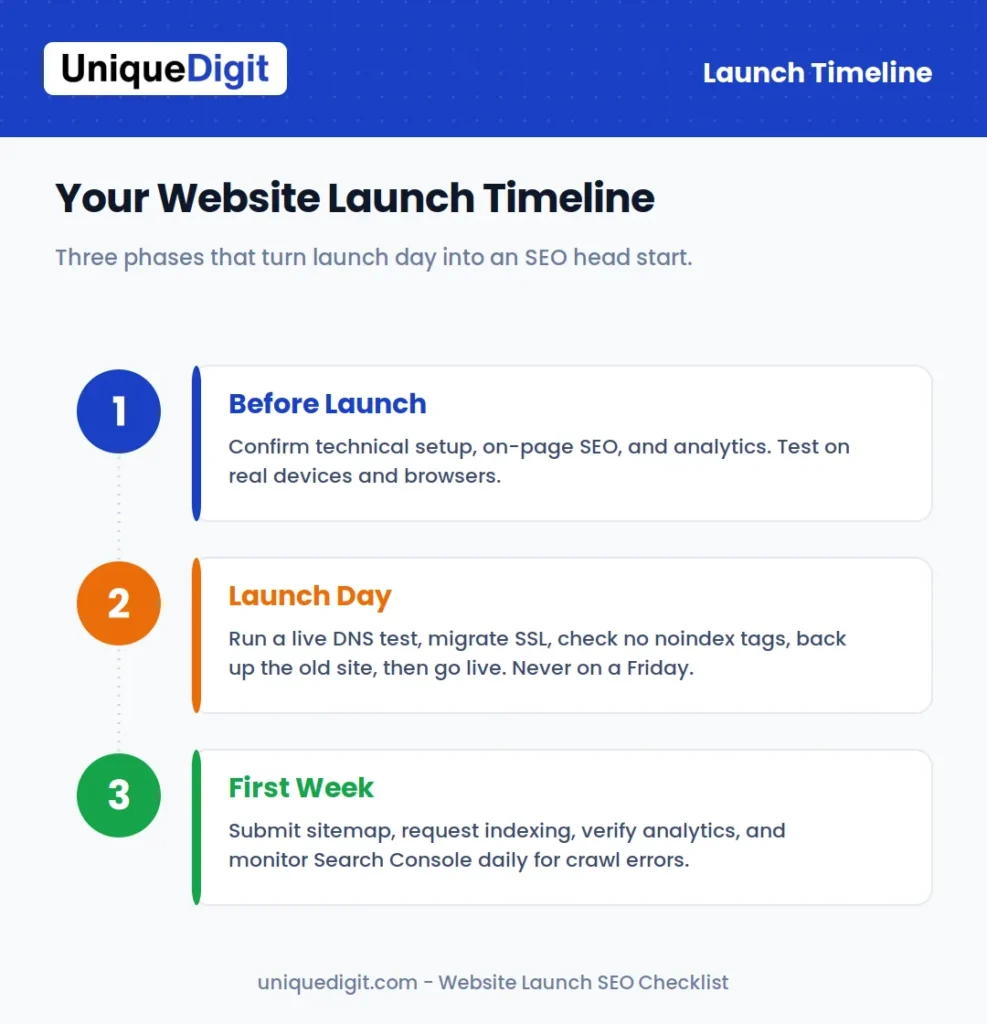
- Run a full live test by changing your local DNS, which surfaces almost any server or plugin surprise before real users see it.
- Migrate or apply the SSL certificate so HTTPS is active the moment the site is live.
- Check that no important pages are set to noindex or nofollow, and that login or admin areas correctly are.
- Back up the old site first, so you can recover anything if needed.
- Update the DNS record to make the new site live, and avoid launching on a Friday so you have the week to catch issues.
A word on timing, because it trips up more launches than any technical setting. When you update your DNS, the change does not reach every visitor at once. This “propagation period” can take anywhere from a few hours to 48 hours, during which some people see the new site and others still see the old one. That is normal and nothing to panic about. It is also exactly why you should never launch on a Friday afternoon: if something breaks, you want a full working week ahead of you to fix it, not a weekend where the problem festers and nobody is watching.
Keeping a backup of the old site before you change anything is the cheap insurance that saves launches. If a critical piece of content or functionality turns out to be missing after go-live, that backup is often your only way to recover it, so make the copy before you touch the DNS.
What Are the First-Week Post-Launch Actions?
The most important first-week post-launch actions are submitting your sitemap, requesting indexing, verifying analytics is collecting data, and monitoring Search Console for crawl errors. The first 48 hours set the tone, so stay close to the data:
- Verify Google Analytics is collecting data within the first day.
- Configure Search Console for the HTTPS version and submit your sitemap, confirming it passes with no errors.
- Request indexing for your key pages through the URL Inspection tool.
- Check indexing status daily for the first week and fix any crawl errors immediately.
- Run a full site audit to catch broken links, duplicate content, or missed noindex tags.
If pages are slow to appear, resist the urge to panic. New sites take time, but persistent gaps usually trace back to a blocking issue rather than patience, which our website not showing up on Google guide helps you rule out.
The first week is also when you should watch for the subtle problems that a pre-launch checklist cannot fully catch, because they only appear on the live server. Keep an eye on a few things:
- Compare Search Console’s indexed count against your sitemap. A large gap between pages submitted and pages indexed points to a quality or crawl issue worth investigating.
- Watch for a sudden traffic drop if you migrated. On a redesign, a fall in organic traffic in the first two weeks usually means a redirect was missed or a page’s content thinned out. Catch it early and it is fixable; leave it a month and it compounds.
- Check that your forms actually deliver. Submit every contact and lead form yourself and confirm the email arrives and the thank-you page loads. A broken form on a fresh site can cost you leads silently for weeks.
- Confirm your analytics goals are firing. A conversion that does not register is a conversion you cannot optimise, so verify each goal records correctly with a real test submission.
Beyond the first week, a website is never truly “finished.” The strongest launches are followed by ongoing optimisation, since rankings build over months and the sites that keep improving are the ones that keep winning. For a sense of what that ongoing investment looks like, our breakdown of SEO cost in India sets realistic expectations.
How Long Does It Take a New Website to Rank After Launch?
A new website typically takes a few weeks to get indexed and several months to rank meaningfully, because search engines need time to crawl, trust, and evaluate a fresh domain. A well-prepared launch shortens the front end of that timeline, but nothing removes the trust-building period entirely.
Here is a realistic sense of what to expect:
- Days to a few weeks: Google discovers and indexes your pages, especially if you submitted a sitemap and requested indexing.
- One to three months: you begin ranking for low-competition, long-tail terms, and early organic traffic appears.
- Three to six months: medium-competition keywords start to move, and traffic grows more steadily.
- Six to twelve months and beyond: you compete for higher-value, more competitive terms as your authority builds.
For local businesses in less competitive markets, this can move faster, sometimes within two to four months. The pre-launch checklist in this guide does not skip the wait, but it ensures you are not adding avoidable weeks on top of it through blocked crawling, missing redirects, or absent tracking.
What Are the Most Common Website Launch SEO Mistakes?
The most common website launch SEO mistakes are leaving a noindex tag or robots.txt block from staging, forgetting 301 redirects during a migration, launching without analytics, and skipping schema and mobile testing. Each one quietly costs traffic:
- Carrying over staging settings. A “discourage search engines” toggle or noindex tag left on from the build phase hides the entire site.
- Skipping redirects on a migration. Without 301s, you lose the rankings and link equity of every old URL.
- Launching with no tracking. You forfeit the early data that would have shown you what is working.
- Ignoring schema and mobile. Both shape how search engines and AI tools understand and rank your site from the start.
- Redesigning without an SEO plan. A redesign that ignores existing SEO equity can wipe out organic traffic overnight.
A redesign is where these risks bite hardest. If a rebuild is on the cards, a web design and development partner who bakes SEO into the process protects the traffic you already have.
There is also a set of quieter mistakes that do not hide your site outright but slowly cap its performance:
- Duplicate content across pages. Copying the same paragraphs across multiple service or location pages makes search engines unsure which to rank, so none rank well.
- Orphan pages. Pages with no internal links pointing to them are hard for Google to find and easy for it to ignore.
- Ignoring the 404 page. A helpful custom 404 that guides lost visitors back to useful pages recovers traffic that a dead-end page loses.
- Forgetting image and file cleanup. Leftover placeholder text, “lorem ipsum,” or test images that survive to launch damage credibility instantly.
- No plan for the pages you did not finish. Launching with a clear “phase two” list beats launching with half-built pages live and indexed.
The pattern behind almost every launch mistake is the same: treating SEO as something to add after the site is live rather than something built into it from the start. A checklist exists precisely to break that pattern.
Conclusion
A successful website launch is about more than good design. It is about giving search engines every reason to trust and rank your site from day one. Confirm the technical basics, get your on-page fundamentals and tracking in place before you go live, and monitor closely through the first week, and launch day becomes a strong SEO head start rather than a setback you spend months recovering from.
At Unique Digit, we help Indian businesses turn a website launch into a genuine growth milestone rather than a gamble. Our team runs the full pre-launch checklist for you, from web design and development built SEO-ready to complete SEO services and ongoing content marketing that keeps your rankings climbing after go-live. Whether you are launching a brand-new site or planning a redesign, Unique Digit makes sure nothing that matters gets missed.
Ready to launch with confidence? Visit Unique Digit to see how we work, or start with a free audit and we will pressure-test your site before it goes live.