| Quick Answer: A Google Business Profile checklist for Indian shops covers 12 essentials: claim your profile, verify it, pick the exact category, keep your NAP consistent everywhere, enter your Indian address and drop the map pin correctly, write a keyword-rich description, add real photos, set business and holiday hours, list products with prices, collect and reply to reviews, post weekly, and track Insights while fixing duplicate listings. Complete all 12 and your shop becomes eligible to rank in the local map pack and “near me” searches. |
Why does a Google Business Profile matter for Indian shops?
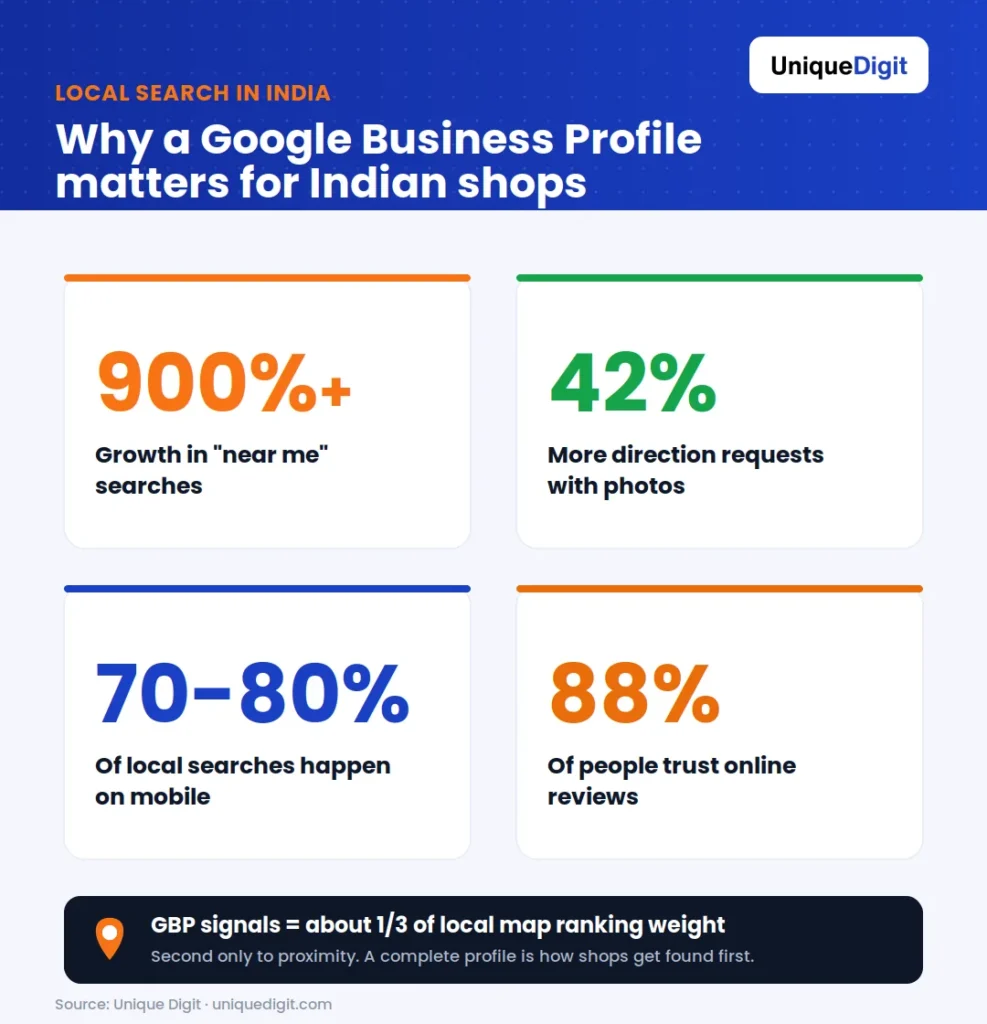
Local search stats: "near me" up 900%, 70-80% mobile, 42% more directions with photos, 88% trust reviews.
- “Near me” searches keep climbing. Searches with “near me” have grown over 900% in recent years, and most of that intent lands on Google Maps and the local pack.
- Mobile drives local discovery. Roughly 70 to 80% of local searches happen on a phone, usually with a customer standing on the street ready to buy or visit.
- Photos pull in visits. Profiles with photos receive around 42% more requests for directions than those without.
- Reviews build trust. About 88% of consumers trust online reviews as much as a personal recommendation.
- Local signals carry real weight. Google Business Profile signals account for roughly a third of what decides local map rankings, second only to proximity.
Step 1: How do I claim or create my Google Business Profile?
Claim your Google Business Profile by searching your shop name on Google, and if it already exists, click “Claim this business”; if it does not, create it fresh at google.com/business. Google may have auto-generated a listing for your shop from map data, so always search first before creating a duplicate. Follow this order:- Search your exact shop name plus city on Google to check whether a listing already exists.
- If a profile appears, look for “Own this business?” or “Claim this business” and start the claim.
- If nothing appears, go to google.com/business, sign in with the Google account you want tied to the shop, and enter your business name.
- Use a business email, not a personal one, and keep those login details safe. This account controls your listing.
Step 2: How do I verify my Google Business Profile in India?
Verify your Google Business Profile in India most often by postcard, where Google mails a PIN to your shop address within one to two weeks, and sometimes by phone, email, or video verification depending on your business type. You cannot rank in the map pack until your profile is verified. Here is what to expect:- Postcard verification is the most common for physical shops. Google posts a card with a 5-digit code to your address; enter it in your dashboard to confirm.
- Phone or SMS verification is offered to some businesses instantly. Choose it if available to save time.
- Video verification may be requested, where you record a short clip showing your shop, signage, and surroundings.
- Do not edit your address while a postcard is in transit, as it resets the process.
Step 3: Which category should my shop choose on Google Business Profile?
Choose the most specific primary category that describes your shop, not a broad one, because the exact category directly influences which searches you appear in. A profile set to “Indian Restaurant” ranks for far more relevant searches than one set only to “Restaurant.” Apply these rules:- Pick one precise primary category that matches your core business, for example “Saree Shop,” “Hardware Store,” or “Bakery.”
- Add up to 9 secondary categories for the other things you sell or do, such as “Gift Shop” or “Home Goods Store.”
- Match the category to real searches your customers use, not internal jargon.
- Review categories quarterly, as Google adds new ones and your product mix changes.
Step 4: How do I keep my NAP consistent everywhere?
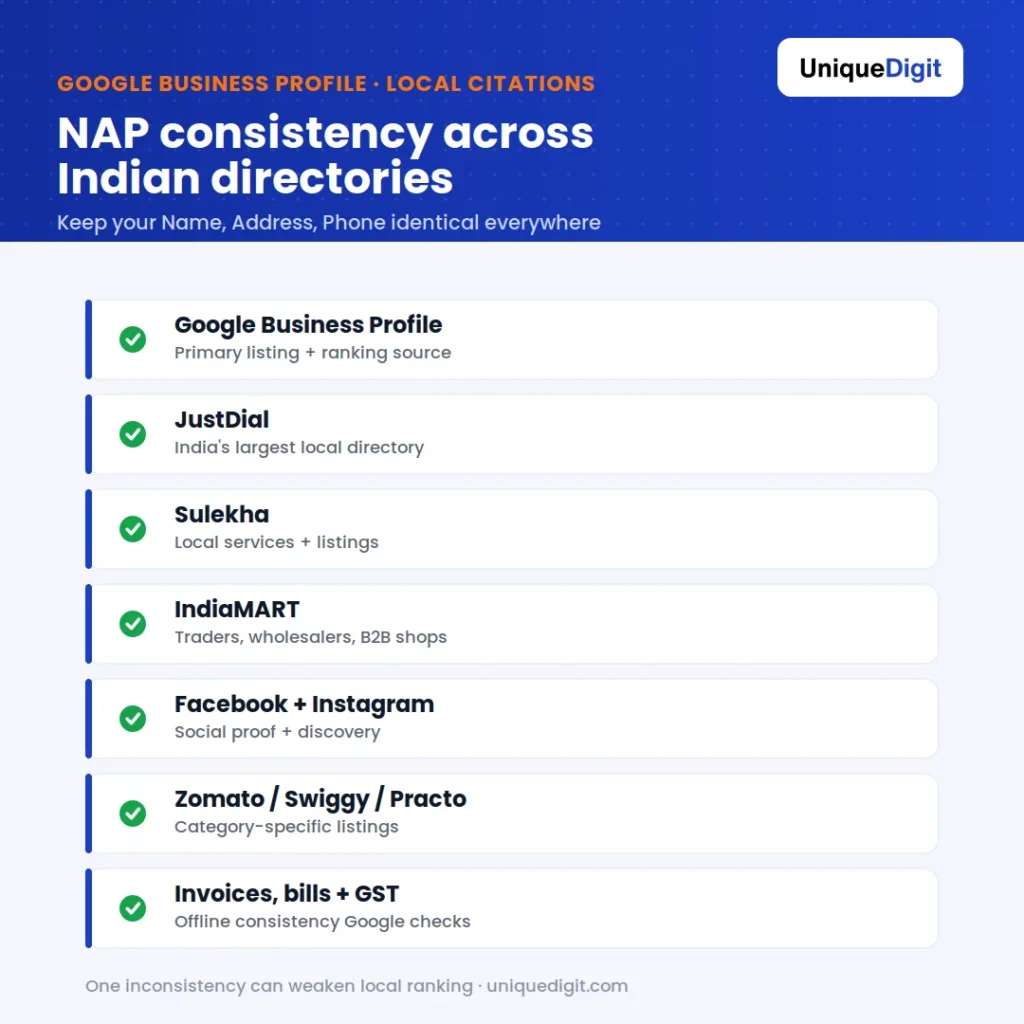
Keep your Name, Address, Phone identical across Google, JustDial, Sulekha, IndiaMART and more.
| Platform | Why it matters for Indian shops |
|---|---|
| Google Business Profile | Your primary listing and ranking source |
| JustDial | India’s largest local search directory |
| Sulekha | High-traffic services and local listings |
| IndiaMART | Essential for wholesalers, traders, B2B shops |
| TradeIndia | B2B and manufacturer visibility |
| Facebook & Instagram | Social proof and local discovery |
| Practo / Zomato / Swiggy | Category-specific (clinics, food) |
| Invoices, bills & GST records | Offline consistency Google can verify |
- Decide one canonical format for your name, address, and phone, then use it everywhere without variation.
- Use a single local phone number with the correct STD or +91 format across all listings.
- Audit old listings you or a previous owner created, and correct any that are outdated.
Step 5: How do I enter my Indian address and set the map pin correctly?
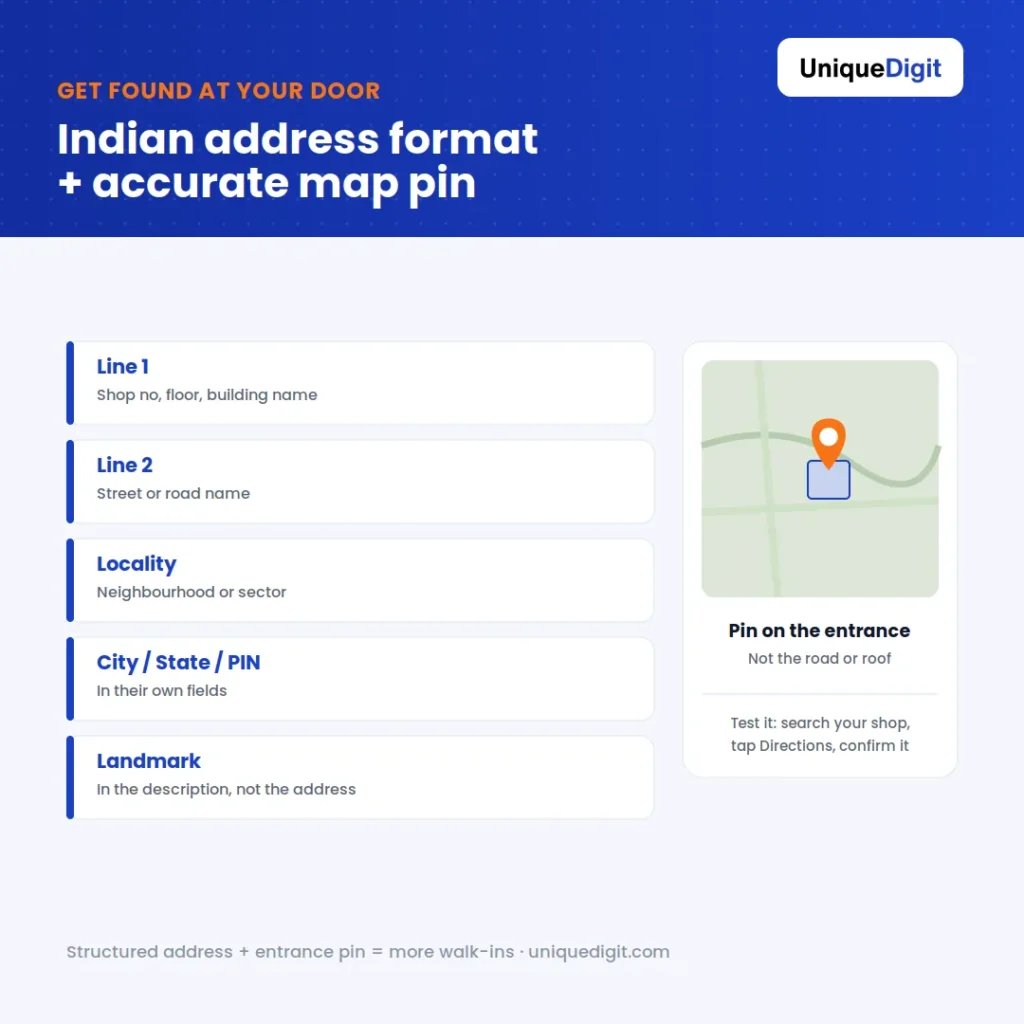
Enter your Indian address in the correct order and drop the map pin on your shop's entrance.
- Line 1: Shop number, floor, and building name (for example, “Shop 4, Ground Floor, Krishna Complex”).
- Line 2: Street or road name.
- Locality / area field: your neighbourhood or sector.
- City, State, and PIN code in their correct fields.
- Landmark in the description, not the address line, for example “opposite SBI ATM, near Gandhi Chowk.”
- Zoom into satellite view and drag the pin onto your actual shop entrance, not the middle of the building or the road.
- Test it by searching your shop on Google Maps from your phone and tapping “Directions” to confirm it leads to your door.
Step 6: How do I write a keyword-rich business description?
Write a business description of up to 750 characters that naturally includes what you sell, your location, and the terms customers search, because the description helps Google understand your shop and reassures customers they are in the right place. Lead with your core offering and city, then add detail. A simple template for shops:- Open with what and where: “[Shop name] is a [category] in [locality], [city], offering [main products or services].”
- Add your range and specialities in plain language customers would use.
- Mention years in business or trust signals if relevant, such as “serving [area] since 2012.”
- Close with a light call to action, like “Visit us for [product] or call to check stock.”
Step 7: How many photos should a shop add, and what size?
Add real, high-quality photos across every category Google offers, because profiles with photos get around 42% more direction requests, and shops that show their storefront, interior, and products win more trust and walk-ins. Aim for at least 10 to 15 photos to start, then add fresh ones monthly. Cover these photo types:- Storefront and signage so customers recognise your shop from the street.
- Interior shots showing the layout and atmosphere.
- Products and shelves highlighting what you sell.
- Team photos to add a human, local touch.
- Logo and cover photo for branding. Use a 1080 x 608 pixel cover for the best fit.
- Use your own real photos, not stock images, as Google and customers both favour authenticity.
- Shoot in good light and keep images sharp.
- Rename image files with descriptive, keyword-relevant names before uploading.
- Add photos regularly, since fresh media signals an active, open business.
Step 8: How do I set business hours and holiday hours?
Set your regular business hours accurately and always update special hours for Indian festivals and holidays, because customers who arrive at a “closed” shop marked “open” leave frustrated and may leave a bad review. Correct hours also help you appear in “open now” searches. Do this:- Enter accurate daily hours, including any lunch or afternoon break with split hours if your shop closes midday.
- Add special hours for Diwali, Holi, Eid, regional festivals, and public holidays well in advance.
- Mark temporary closures if you shut for renovation or a family event.
- Add relevant attributes such as “wheelchair accessible,” “accepts UPI,” “home delivery,” or “free parking,” which many Indian shoppers filter for.
Step 9: Should I list products and services with prices?
Yes, list your products and services with prices and photos, because the Products and Services sections turn your profile into a mini storefront and help you rank for specific item searches. This is especially powerful for shops with a clear catalogue. Add them like this:- Create product entries with a name, photo, price or price range, and a short description.
- Group them logically, for example “Paints,” “Tools,” “Electrical” for a hardware shop.
- List services if you offer any, such as “key duplication,” “tailoring,” or “home installation.”
- Keep prices current so customers trust what they see.
Step 10: How do I get more Google reviews for my shop?
Get more Google reviews by consistently asking happy customers right after a purchase and making it effortless with a direct review link, because reviews are trusted by 88% of consumers and are a strong local ranking signal. The shops with the most recent, genuine reviews usually win the map pack. Build a simple review engine:- Create your review short link from the dashboard and turn it into a WhatsApp message or QR code at the counter.
- Ask in person at the moment of a happy purchase, when customers are most willing.
- Send a WhatsApp follow-up with the direct link and a polite one-line request.
- Reply to every review, thanking positive ones and calmly resolving negative ones.
- Never buy fake reviews, as Google detects and penalises them.
Step 11: How often should I post with Google Posts and answer Q&A?
Post to your Google Business Profile at least once a week and monitor the Q&A section daily, because fresh posts signal an active business to Google and answered questions remove the last barrier before a customer visits. Posts appear directly in your profile and expire, so consistency matters. Use Posts for:- Offers and discounts, especially around festivals and sale periods.
- New stock arrivals and seasonal products.
- Events like a store anniversary or a special sale day.
- Updates such as new payment options or extended hours.
- Answer customer questions quickly in clear, simple language.
- Seed your own FAQs by posting and answering common questions like “Do you offer home delivery?”
- Monitor for spam answers from others and correct wrong information.
Step 12: How do I track performance and fix duplicate or suspended listings?
Track your profile with Google Business Profile Insights to see how customers find and act on your listing, and fix any duplicate or suspended listings immediately, because duplicates split your ranking signals and a suspension makes your shop disappear from Maps entirely. Monitoring monthly keeps small problems from becoming invisible ones. Track these signals:- How customers find you: direct searches versus discovery searches.
- What they do: calls, direction requests, website clicks, and messages.
- Which photos and posts get the most views.
- Search for duplicate listings of your shop and report them through Google’s “suggest an edit” or support, then request a merge.
- If suspended, review Google’s guidelines, correct any violation such as a fake address or keyword-stuffed name, and submit a reinstatement request.
- Keep your name clean, using your real business name without extra keywords, which is the most common suspension trigger.
The free printable Google Business Profile checklist for Indian shops
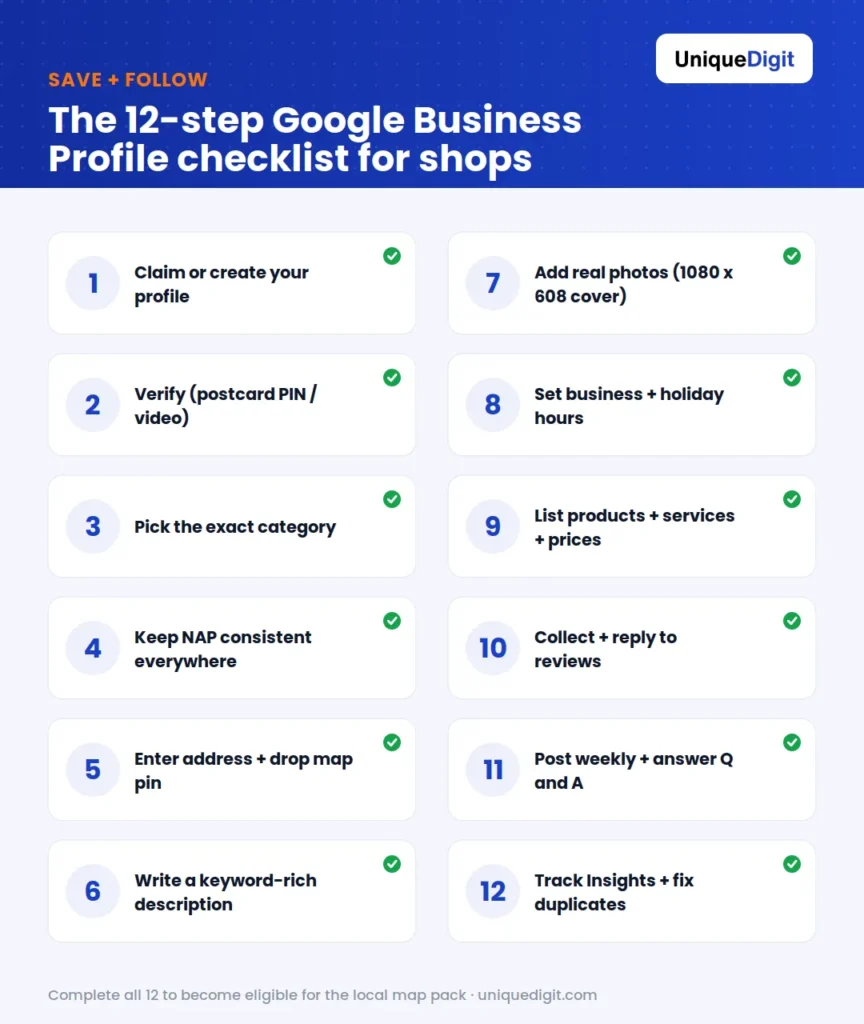
The full 12-step Google Business Profile optimization checklist, from claiming to tracking Insights.
- Claimed or created the profile with a business Google account
- Verified by postcard, phone, or video
- Chosen the exact primary category
- Added up to 9 relevant secondary categories
- NAP identical across Google, JustDial, Sulekha, IndiaMART, and social profiles
- Indian address entered in the correct structured order
- Map pin dragged onto the shop entrance and tested
- Keyword-rich description written (up to 750 characters)
- Business hours and festival or holiday hours set
- Relevant attributes added (UPI, delivery, parking, accessibility)
- At least 10 to 15 real photos uploaded (storefront, interior, products)
- Cover photo sized 1080 x 608
- Products and services listed with prices
- Review link created and shared via WhatsApp or QR
- Replying to all reviews, positive and negative
- Posting at least weekly
- Answering Q&A regularly
- Checking Insights monthly
- No duplicate listings; profile in good standing